Skylight: an antenna in the window and another way of looking at the sky
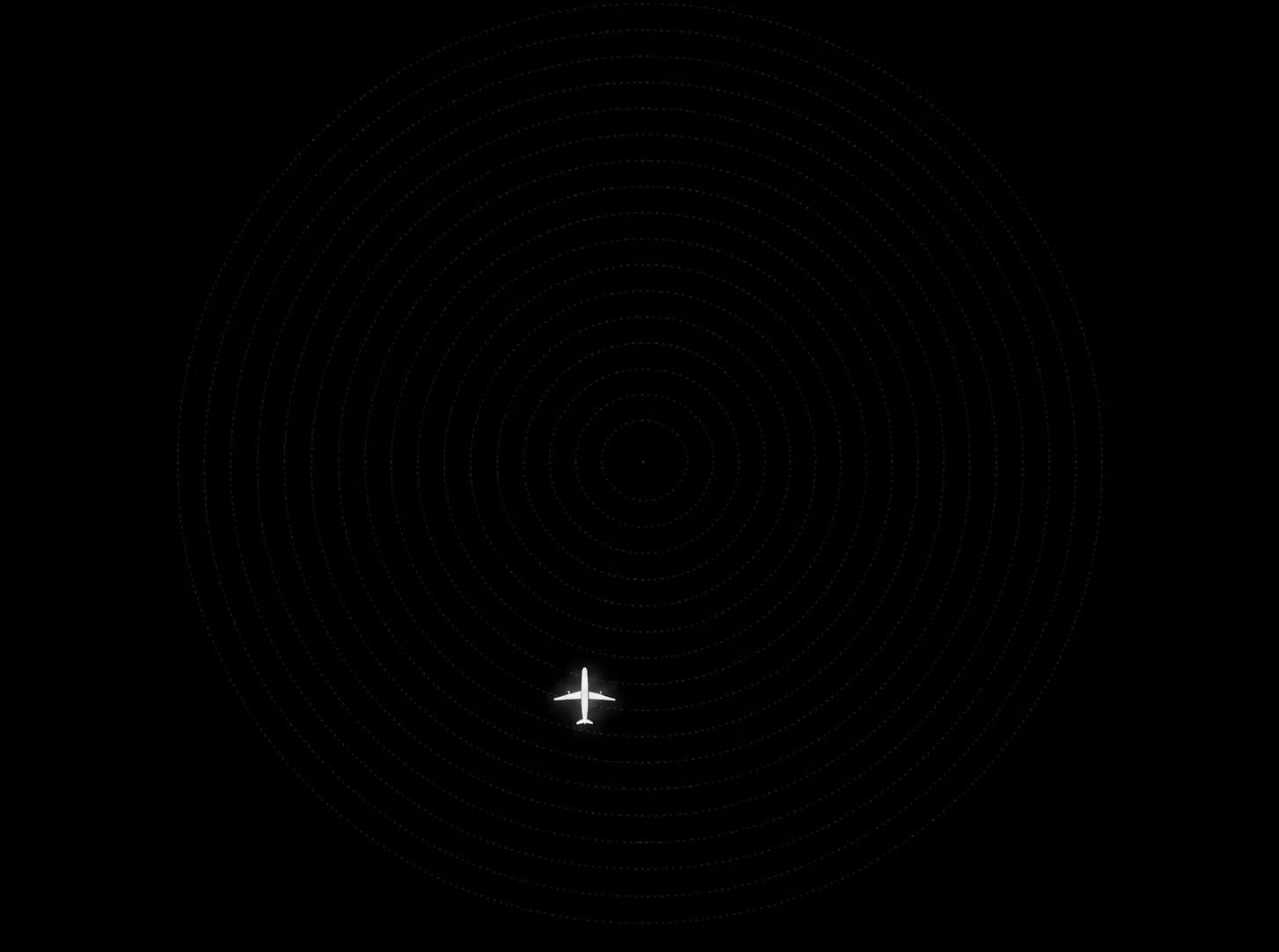
I wanted to project onto the living room ceiling the sky passing over the house. I started with an idle laptop and an antenna in the window. The projection did not turn out as I expected, but the project found other paths: today I follow aircraft on different screens and get an alert when the International Space Station passes by.
Between the idea and daily use there was a blurry image, a receiver that ran hot, connection problems and a few simple fixes. There was also room to add things I cared about: keeping a record of the passes, highlighting certain aircraft and hearing an alert without having to watch the screen all the time.
This is the record of that build, the choices I made and what I still want to try.
The sky I wanted to bring home
The idea took shape when I came across Skylight (opens in a new tab), an open-source project created by Cameron Paczek. It brings together aircraft information and a representation of the sky — Sun, Moon, stars, planets and satellites — based on the observer's location and time.
The project can draw that movement on the ceiling with a projector. That was the possibility I wanted to try at home: following, from inside the living room, what was passing outside.
Skylight and its visual concept are Cameron's. I started from that base to put together my setup, adapt it to what I had available and add features. The aircraft history, the visual highlights and the alerts described here are part of that adaptation work.
The visualization follows real aircraft positions and animates the movement between the updates it receives. Airline, model and route appear when data is available. What you see on screen relates to the traffic picked up at that moment, within the antenna's range and the information received.
For me, the starting point was this meeting between a home setup and something happening outside it. The computer would have a concrete job: helping me follow the sky from home.
An antenna in the window, a repurposed laptop
Part of the information used in this setup is broadcast by the aircraft themselves. The system is called ADS-B: aircraft equipped with it send data such as identification, position and altitude over the radio. In my setup, an antenna receives those signals and a small USB receiver hands them to the computer.
The antenna is telescopic and held to the window glass by a suction cup. The receiver is an RTL-SDR Blog V3, plugged directly into the side of the laptop. Where the antenna sits and the obstacles around it affect what I can pick up.
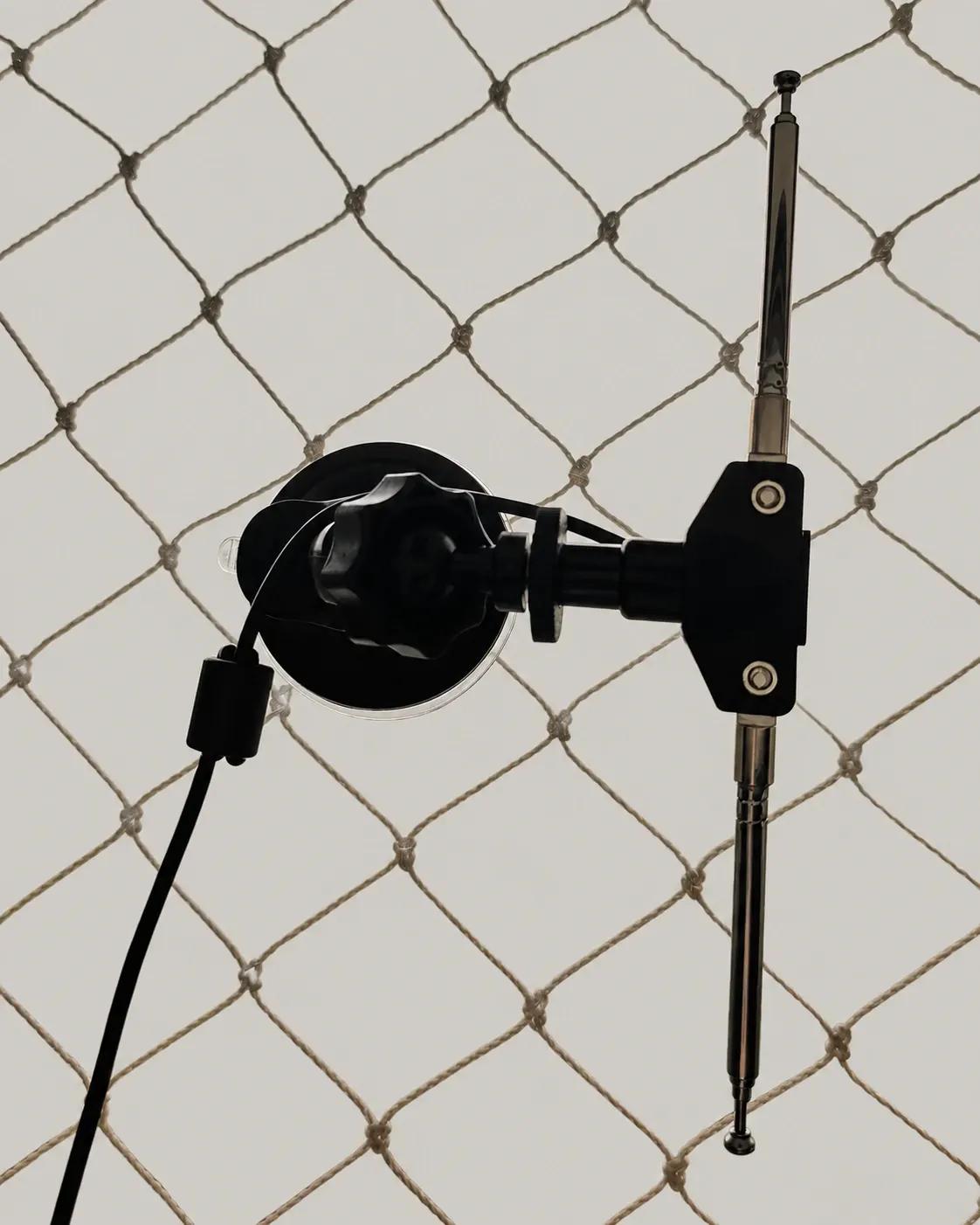
In simple terms, the path is this: the aircraft transmits, the antenna receives, the computer decodes the signals and Skylight shows the positions. Other information, such as airline and route, is looked up in public databases.
The ISS arrives by a different path. Skylight calculates its position from orbital data; it is not picked up by this antenna the way planes are. Both pieces of information meet in the visualization, but they come from different sources.
To run everything, I repurposed a Dell Inspiron that was sitting unused. I swapped the drive for an SSD, installed Linux and set up the programs to work on the same computer. The laptop now stays on all day, lid closed.
That choice gave a daily job to a machine I already had. Over time it also took on storing the history and running the project's supporting services. The configuration details are in the build notes at the end of the text.

What I had to change
The first plan was to use an HY300 mini projector, connected to the laptop over HDMI, to draw the sky on the living room ceiling. In practice, the image was not sharp enough to read the flight information. The air vent also got quite hot, which made me uneasy about leaving it on for many hours.
That was the result with my unit, in that place and in that position. I cannot extend this experience to every device of the same model. The lesson that stayed was more specific: before organizing the setup around the projection, it is worth testing whether the image is readable where it will be used.
The ceiling attempt was left open. Since Skylight runs in the browser, I kept using the project on other screens over the home network.
Another problem showed up in reception. After running for a while, the system started showing almost no planes. A test pointed to a tuning failure, and decoding was at around one message per second, with no aircraft positions.
I unplugged the receiver, let it cool down, readjusted the antenna and plugged it back in. After that, the rate reached about 22 messages per second, with five aircraft positioned at the same time.
Heat was one of my suspicions. Since I cooled the device, moved the antenna and restarted the connection in the same intervention, I could not separate the effect of each change. Even so, the hot receiver worried me, and I decided to improve the ventilation.
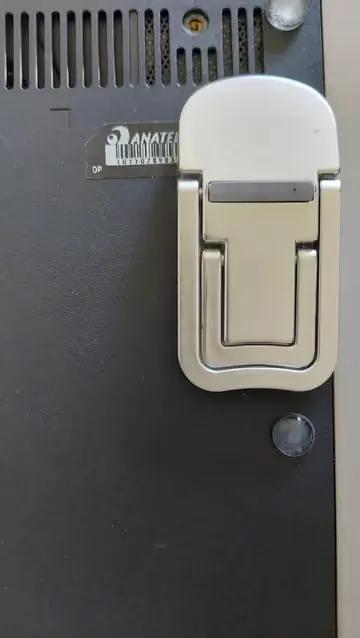
I placed a computer fan over it. In the setup I used, the fan spins slowly and keeps the receiver cool to the touch. I also fitted folding feet to the base of the laptop, leaving space for air to flow underneath. They are small adjustments, but they became part of the daily operation.
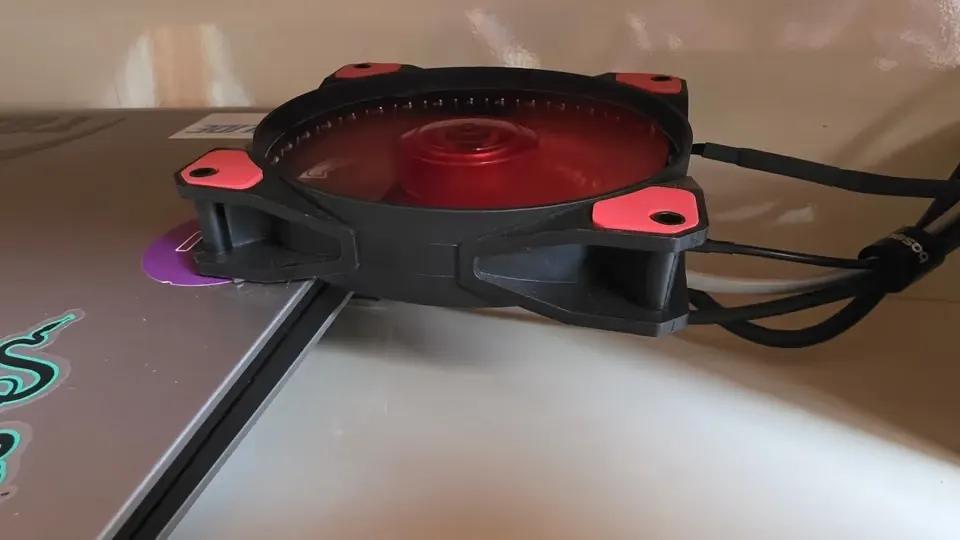
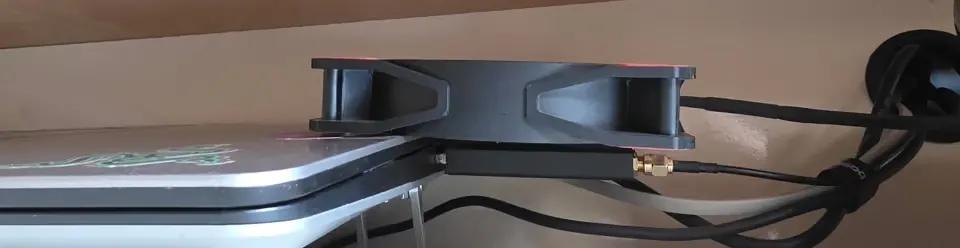
These episodes show a part of the build that ready-made dashboards do not reveal. A setup that stays on all day also depends on position, ventilation and connections. Those were the details I had to come back to again and again.
When the sky found a voice
Today I open Skylight on the TV and on the tablet. In the watch's browser, I can check information about a flight. Each screen serves a different way of using it, and the project kept working even without the projection that started it.
I added colors to highlight categories of aircraft I am interested in, plus an indicator of temperature and sky conditions. These changes help me notice certain information in the visualization.
Voice alerts changed the way I follow the system. When a flight of interest appears, the computer sends the audio to an Echo Dot. It works as a Bluetooth speaker; in this setup there is no Alexa integration.
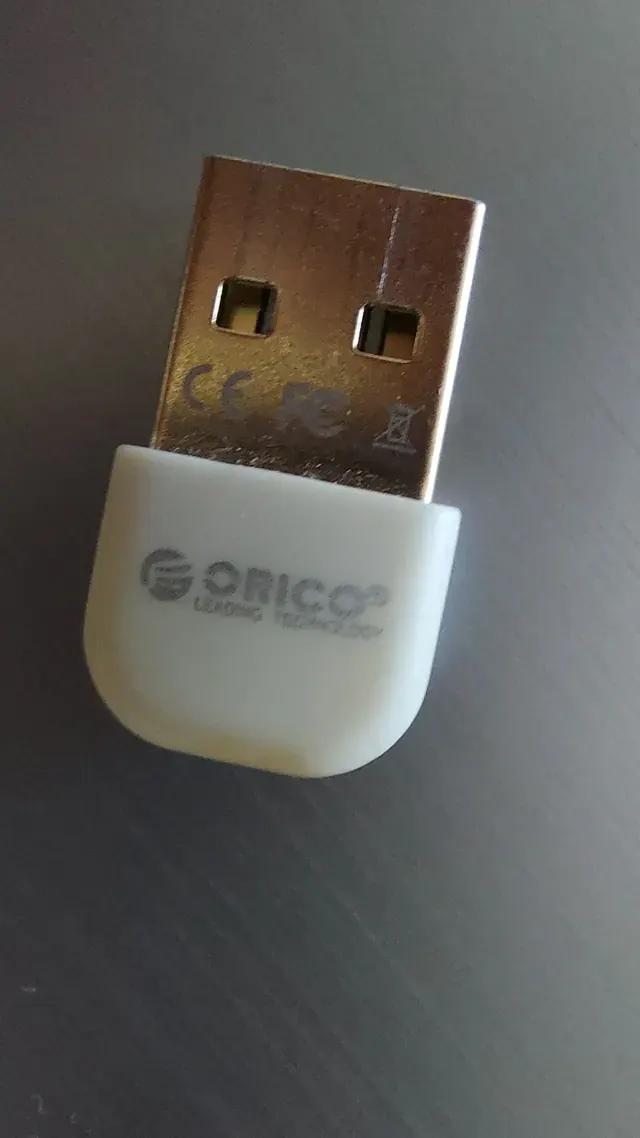
The laptop's built-in Bluetooth was unstable. A small USB adapter took over that connection. After this adjustment I could keep audio as one more way of receiving notifications, without having to be looking at a screen.
I also set up a separate alert for the International Space Station. A calculated ISS pass does not guarantee that it will be visible: that depends on lighting and sky conditions. On a favorable pass, though, it can be seen with the naked eye, by the sunlight it reflects.
This alert is where the project comes closest to the idea of observing. The information arrives through the system, but the opportunity it offers is outside. I can check the pass and look up at the sky.
The sky's memory
The visualization shows what is happening at that moment. To keep the passes and be able to look them up later, I built a separate service, flight-history.
It records aircraft with a position, calculates the distance to the reference location and identifies the passes within the radius I defined. Over time, that record gained a dashboard with filters and comparisons.
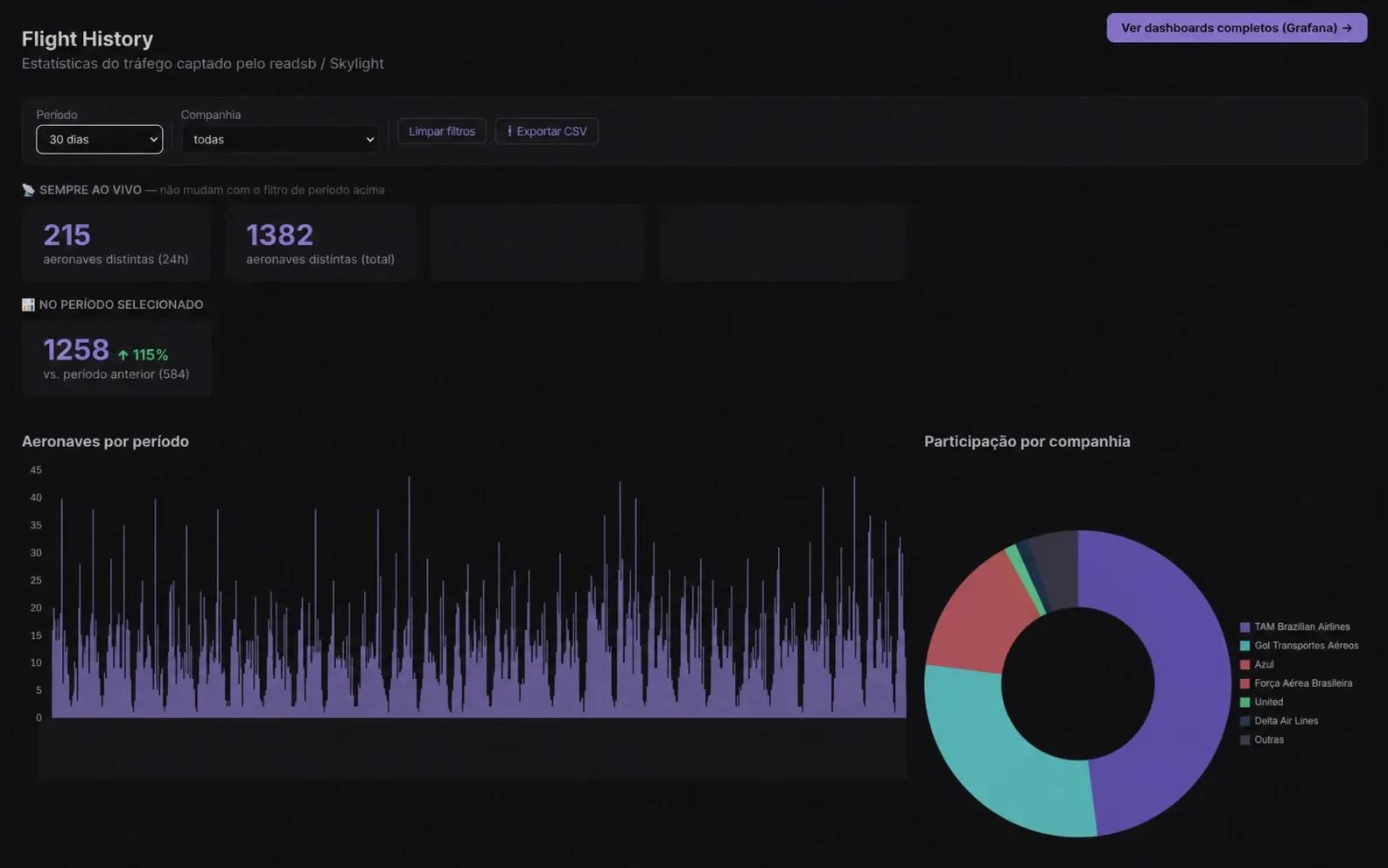
In the original screenshot used to illustrate this article, there were 1,382 distinct aircraft recorded in just over five weeks, with 215 in the last 24 hours. These numbers count aircraft identified by the system in the period, within the setup's coverage. They are not necessarily the number of flights, nor do they mean that all of them passed directly over the house.
In the breakdown by airline, TAM had the largest share, followed by Gol and Azul. There were also records from the Brazilian Air Force, United and Delta. The dashboard lets me pick periods, filter airlines, compare results and export the records.
Keeping the data raises other questions: which airlines show up most often in my reception? At what times is there more traffic? What changes from one day to the next?
There is still a gap between asking these questions and finding consistent answers. The history lets me investigate them over time. Antenna position, reception conditions and the periods when the system is running also need to be part of that reading.
That is the value I see in the record: being able to go back to what passed and compare. The screen follows the movement; the history gives that following some continuity.
What remains open
Around Skylight, I set up other services on the laptop: monitoring, downtime alerts, network access and backups. They help keep the setup running and preserve what I have been building.
I also learned to change fewer things at once. I started shipping improvements in small batches, of at most three items, testing each one. When a change causes a problem, that care makes it easier to understand what happened.
The plan is to move everything to another machine and add a service to organize my photographs. I prepared backups and a restore script to support that move; verifying data recovery is part of the migration work.
I also want to try the ceiling projection again, with different equipment. This time, testing the image in the room will be one of the first steps. When I do, I will come back to this text to record the result.
Until that plan happens, the antenna in the window and the repurposed laptop already let me follow what passes nearby. The project found a use across screens, audio and history, with room to keep changing.
When the ISS alert arrives, it does something simple: it tells me it is time to look up.
Build notes
These notes gather the equipment and configuration of my setup. Some behaviors depend on the software versions and how they are deployed. The Skylight repository keeps evolving; this is a description of the setup I used for this account.
Hardware and system
The computer is a Dell Inspiron 5448, with an i7-5500U processor, 12 GB of memory and an SSD in place of the hard drive. I ran the first tests on Pop!_OS and then moved to Linux Mint XFCE, with BTRFS and Timeshift snapshots. I use Docker to run the services and Portainer to manage them.
The receiver is an RTL-SDR Blog V3, connected to a telescopic dipole antenna mounted vertically. readsb decodes the ADS-B signals at 1090 MHz; tar1090 provides a map to check reception. Skylight uses that data and complements it with public information from adsbdb.com.

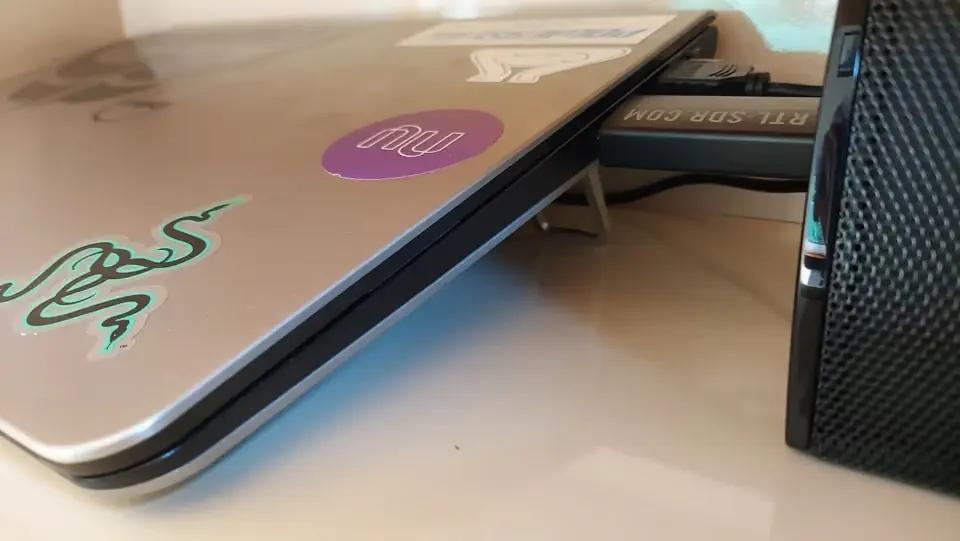
For ventilation, I used a 120 mm fan, nominally 12 V, powered at 9 V in my setup. It spins slower under that condition and keeps the receiver cool to the touch. This describes the result observed with this setup; I did not evaluate the fan's lifespan.
Audio goes out through an Echo Dot, connected to the computer over Bluetooth with an Orico USB adapter. The projector used in the projection attempt was an HY300, connected over HDMI.
Aircraft logging
flight-history was built in Node.js. Every 30 seconds it queries Skylight's data and records aircraft with a position. The data also goes to InfluxDB and can be explored in Grafana dashboards.
On the dashboard, the indication of a pass within the radius stays on for 10 minutes after a recorded pass. That window keeps recent passes in the count; it does not mean the aircraft physically remains within the radius for that whole time. Periodic polling also has limits: it does not guarantee that every pass between two updates is recorded.
Supporting services
| Tool | Role in my setup |
|---|---|
| Skylight | Show aircraft and the representation of the sky. |
| readsb and tar1090 | Decode the signals and check reception on a map. |
| flight-history | Keep records and look up the history. |
| InfluxDB and Grafana | Store time series and explore the data in dashboards. |
| Docker and Portainer | Run and manage the services. |
| Nginx Proxy Manager | Route access to the services by name and over HTTPS. |
| AdGuard Home | Filter DNS queries on the home network. |
| Beszel | Track the server's resources and temperature. |
| Uptime Kuma | Monitor availability and send alerts over WhatsApp. |
| Homarr | Gather the services' shortcuts. |
| RustDesk | Allow remote access to the computer. |
| rclone | Send the backups to Google Drive. |
The home network uses a TP-Link Deco S7 mesh, and the server has a fixed address. To reach the services by name over HTTPS inside the house, I used my own domain, Cloudflare and Nginx Proxy Manager. External access goes through a WireGuard VPN, without exposing the admin dashboards directly to the internet.
Settings that needed attention
In the Portainer web editor I used, I had to build the images from the command line and reference them with image: in the stacks. Defining them with build: did not work in that flow. For local images, updating the stack and asking for a fresh pull from an image registry are different operations; trying to pull again an image that only existed locally failed.
I also had to set the environment variables in the Portainer interface. Using env_file did not behave as I expected in that deployment. This is an observation about the configuration I used, not a rule for every way of running Docker Compose.
In Skylight, the ALLOWED_HOSTS list relates to the names and origins used to reach the server. It is not a device registry. In my configuration, removing a name used by the history service resulted in a 403 error. The current documentation describes default permissions for local access and additional entries for custom names.
For local times in SQLite, I had to install tzdata in the image I used, in addition to setting the TZ variable to the time zone adopted for the setup. The environment variable alone did not solve the problem in that environment.
Backups and migration
Every night, a script stops the containers for a few moments before copying the volumes, the source code with my changes and the stack configurations. That pause was adopted to avoid copying the databases while the services are writing to them. The files are then sent to Google Drive.
I use rclone copy because it does not delete from the destination files that no longer exist at the source. That helps prevent a local deletion from propagating the way it would with a sync that removes files at the destination. However, the command can update existing files: that choice alone is not the same as keeping historical versions of each file.
I prepared a script to support restoring. Recovery needs to be verified before relying on it for a migration or a disk failure; having the backup and the script does not replace that test.
The machine planned for the next stage has an i5-4670K processor. I intend to use Debian 13 with a minimal desktop environment and add Immich to organize the photographs. That change is still part of the next steps.
Credits and references
- Cameron Paczek, for creating Skylight (opens in a new tab), its visual concept and the code that served as the base for this setup. The project's documentation explains the data sources, how satellite positions are calculated and the server access rules.
- adsbdb.com (opens in a new tab), for the public information used to complement the aircraft data.
- RTL-SDR Blog and the communities that maintain readsb, tar1090 and the other tools used.
- NASA, for the information about spotting the ISS (opens in a new tab), including the lighting conditions needed to see it with the naked eye.
- rclone, for the documentation of the copy command (opens in a new tab), which explains how it behaves regarding source and destination files.
For privacy, I do not give the exact location of the setup in this account. The antenna photo and the two interface images were edited with AI for publication, as noted in the captions. The outside surroundings and any spatial or identifying references were removed from those versions. The images in this article were re-exported without EXIF or XMP metadata.